

| exodus |
Home |
Overview lecture |
Capabilities |
Projects |
Publications |
Animations |
News | Press releases | Leaflets | Team | Visitor registration | Demo software | Licensed Users Area | Contact details |

The airEXODUS model is not currently available for purchase however, FSEG staff provide a consultative service using the software. Contact the Director for further information regarding airEXODUS consultative service.
 airEXODUS has been used on applications
involving all types of aircraft, from commuter to ultra-high capacity aircraft.
airEXODUS has been used on applications
involving all types of aircraft, from commuter to ultra-high capacity aircraft.
Applications Include:
- Aircraft Design
- 90 Second certification trials
- Crew Training
- Development of crew procedures
- Resolution of operational issues
- Accident investigation
Close up of aircraft evacuation
generated using airEXODUS. Graphic is from the interactive SIMULATION Mode.


airEXODUS/vrEXODUS example of a certification type aircraft evacuation simulations. |
|
 |
 |

-
buildingEXODUS v6.3 [May 2017] is shipping NOW!
-
buildingEXODUS v6.2 is now discontinued.
-
buildingEXODUS v6.1 is now discontinued.
-
buildingEXODUS v6.0 is now discontinued.
-
buildingEXODUS v5.1 and vrEXODUS v5.1.3 are now discontinued.
-
buildingEXODUS v5.0 and vrEXODUS v5.1 are now discontinued.
-
buildingEXODUS v4.08 and vrEXODUS v5.0 are now discontinued.
-
buildingEXODUS v4.06 and vrEXODUS v4.028 are now discontinued.
-
buildingEXODUS v4.0 and vrEXODUS v4.0 are now discontinued.
-
buildingEXODUS v3.0 and vrEXODUS v1.11 are now discontinued.
 Suitable for application to supermarkets,
hospitals, industrial premises, rail stations, airport terminals, sports stadium, cinemas,
shopping malls, high-rise buildings, etc.
Suitable for application to supermarkets,
hospitals, industrial premises, rail stations, airport terminals, sports stadium, cinemas,
shopping malls, high-rise buildings, etc.
Capable of handling 1000s of people
Incorporates human behaviour specifically
tailored for building environments
Demonstrates compliance with building
codes
Evaluates evacuation capabilities
buildingEXODUS application in
Forensic Fire Analysis [Nov 2003]
Validating the buildingEXODUS
model using an unannounced trial [Nov 2003]
New Features in v4.0:
Interaction of Pedestrians with signage [Nov 2003]
buildingEXODUS example
application (1): (a) Early stages of evacuation involving very large
structure. Software displaying individual people. (1b): Later stages of
evacuation. Software displaying individual people.(1c): Later stages of
evacuation. Software displaying individual people coloured to represent
person type.
 |
 |
 |
buildingEXODUS example application (2):
Very large structure.

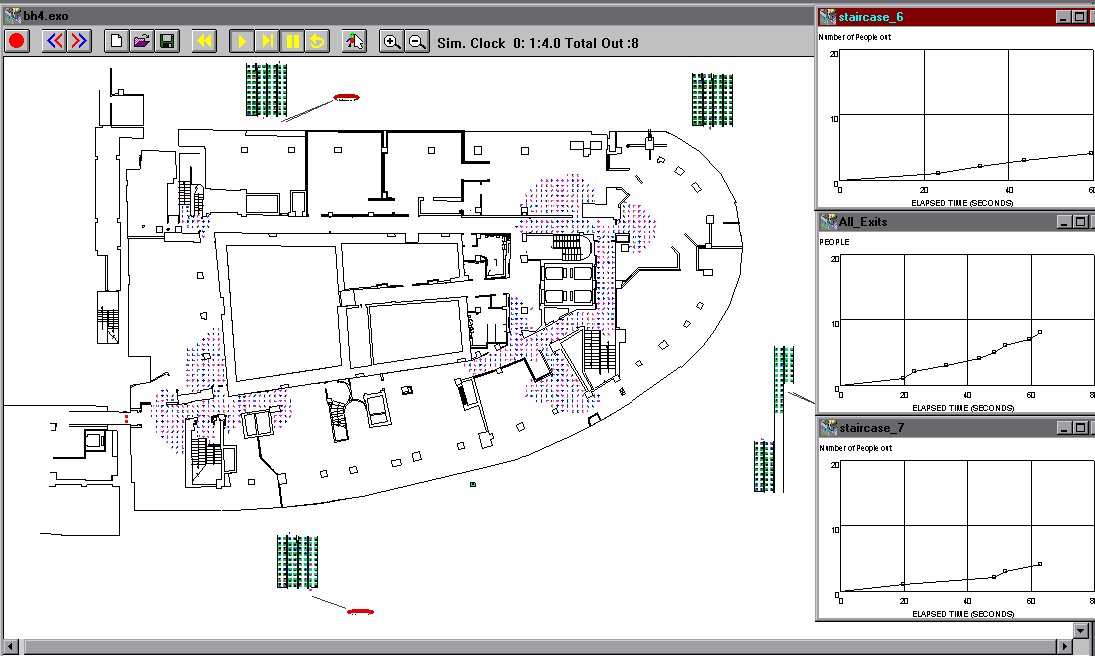
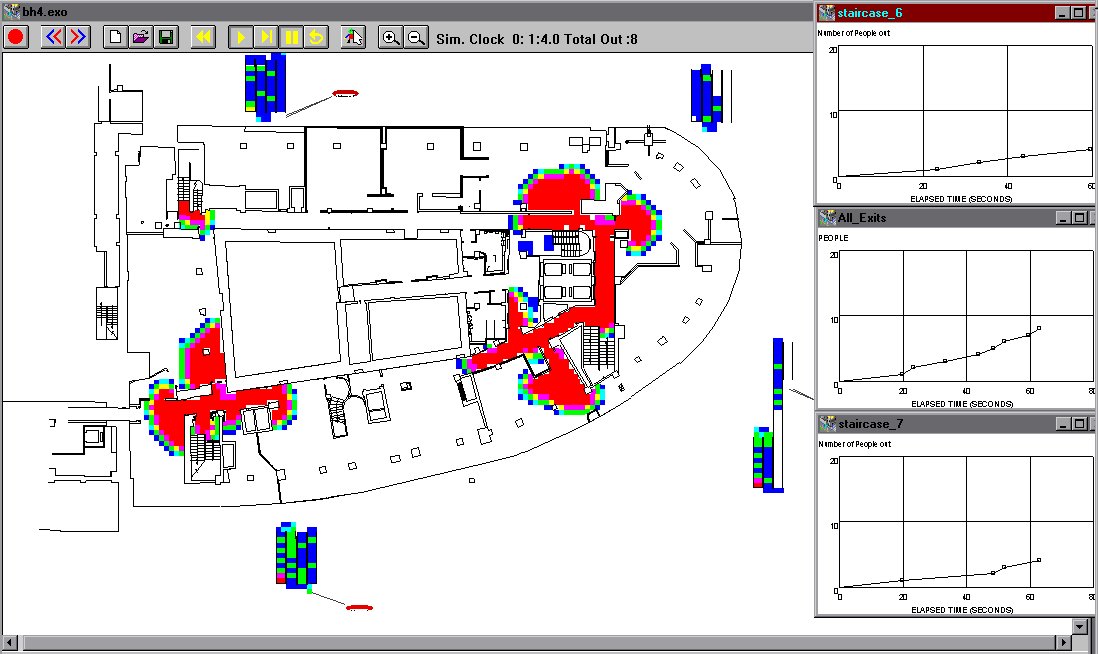
buildingEXODUS example application (3): (a) Early stages of
evacuation involving multi storey structure. Note congestion around stairways.
Software displaying individual people. (1b): Software displaying population
density at same instant as figure 3a. Red regions indicate high population
density.

 |
 |
buildingEXODUS example application (4):
Early stages of evacuation from football ground. Software displaying population density,
red regions indicate high population density. Note congestion by gate (bottom right corner
of ground) and near light pylon (botom left of ground). Also note spot congestion on
terracing. Graphs generated by buildingEXODUS indicate flow characteristics at user
identified points of interest.


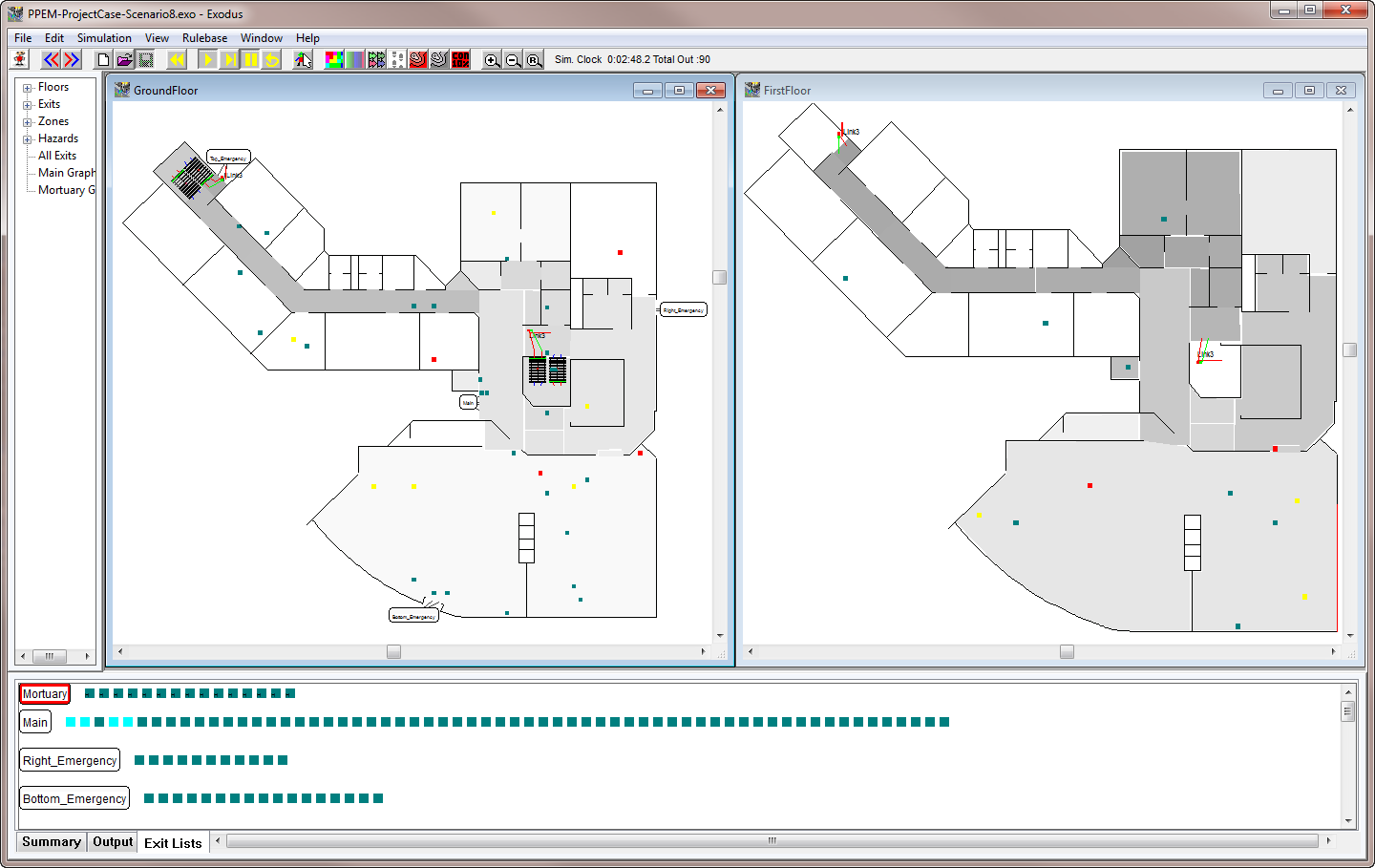
buildingEXODUS example application (5):
Early stages of evacuation from a building in the presence of smoke and fire. Software
displaying smoke contours. Fire atmosphere (smoke, heat and toxic gases) generated
using the CFAST software. Note darkest colour represents heaviest concentration of
smoke.

buildingEXODUS/vrEXODUS example application (6): (6a) Early stages of people movement from two crowded trains at station platform. Software displaying population density, red regions indicate high population density. NOTE seating arrangement is excluded in this example as simulation is primarily concerned with platform characteristics. (6b) Later stages of people movement. Gates at end of platform insufficient to allow rapid egress of passengers. High density population (red region) is being generated at gates and extending back along the platform. (6c and 6d) vrEXODUS representation of people movement along platform.
 |
 |
 |
 |
buildingEXODUS example application (7): (7a) Non-emergency movement of people in amusement centre. Software displaying individual person model. (7b) Software displaying population density, red regions indicate high population density. NOTE crowds around various venues.
 |
 |

vrEXODUS v5.1.5 [June 2017] is shipping NOW!
vrEXODUS v5.0 is now discontinued.
vrEXODUS v4.0 is now discontinued.
vrEXODUS v1.11 is now discontinued.
 The vrEXODUS
software is a graphics post-processor that can be used in
conjunction with all EXODUS products. vrEXODUS creates animated three dimensional
representations of EXODUS generated simulations. The current version of vrEXODUS supports
the latest computer technology; taking advantage of dedicated graphics hardware and
processing power available on modern day PCs.
The vrEXODUS
software is a graphics post-processor that can be used in
conjunction with all EXODUS products. vrEXODUS creates animated three dimensional
representations of EXODUS generated simulations. The current version of vrEXODUS supports
the latest computer technology; taking advantage of dedicated graphics hardware and
processing power available on modern day PCs.
Using
vrEXODUS it is also possible to capture the screen while playing back a simulation to create an animation
file in the Windows Media format WMV. Creating animations can require a large amount of disk space, especially
for long simulations. If this feature is not used correctly, megabytes of hard disk
space can very easily be consumed.
The
vrEXODUS software will run on most standard computer systems. Essentially, if your
computer system is capable of running the main EXODUS software it should be capable of
running the virtual reality environment. However, users should note that the generation
and execution of VR graphics is an extremely CPU/GPU intensive operation. As the number
of objects (i.e. number of wall elements, number of people, complexity of people, etc) and length of
simulation increases the demands on CPU, RAM and graphics card increase dramatically.
buildingEXODUS/vrEXODUS example application: Evacuation from two storey building in the presence of smoke. Note occupants with an "H" above their heads are suffering from heat exposure while occupants with "T" above their heads are suffering from exposure to toxic gases. Exposure determined using FED model capability of buildingEXODUS.

airEXODUS/vrEXODUS example application: Aircraft evacuation from a prototype blended wing wide bodied aircraft under certification conditions.


maritimeEXODUS/vrEXODUS example application: Passenger assembly on a 14 deck cruise ship.


buildingEXODUS/vrEXODUS example application: Pedestrian movement evacuating from a train station with a SMARTFIRE simulate fire.


-
 maritimeEXODUS V6.2 [July 2026] now shipping
 - maritimeEXODUS v6.1 now discontinued.
- maritimeEXODUS v6.0 now discontinued.
- maritimeEXODUS v5.2 now discontinued.
- maritimeEXODUS v5.1 now discontinued.
- maritimeEXODUS v5.0 now discontinued.
- maritimeEXODUS v4.14 now discontinued.
 From the modelling perspective, there are at least five components to a ship
evacuation:
From the modelling perspective, there are at least five components to a ship
evacuation:
(1) Recognition by passengers of the need for emergency action i.e. response
to alarm.
(2) Preparatory actions e.g. collect life jacket, reunite family,
deploy crew, etc.
(3) Progressive evacuation to place of relative safety
i.e. refuge or assembly station.
(4) Preparation/deployment of escape system
e.g. prepare lifeboats, deploy Marine Evacuation System (MES).
(5)
Abandoning the vessel e.g. boarding and lowering lifeboat, going down an MES and
boarding life boat, climbing down a ladder, etc.
Depending on the nature of the "what if" conditions being simulated, all of the
above aspects may need to be modelled, while other applications may only require
some of these components. To perform the required simulation reliably requires
an evacuation model with the appropriate set of capabilities and access to the
necessary data. Furthermore, the scenario under consideration may be under
conditions of calm or involve situations with list or roll and may occur at day
or night. This will affect not only the nature of the data required but also the
capabilities of the model.
maritimeEXODUS
V6.2 has a number of new features to improve its functionality. The most significant new features include:
- The introduction of two new types of Zone:
- Impassible Zones.
- Avoid Zones.
- Ability to impose, during a simulation the Loss of LSA.
- Additional simulation convergence controls.
- New SFE command for the Allocation of Passenger to Assembly Stations.
- The ability to Report Final Simulation Time of a Replay File.
maritimeEXODUS makes use of marine
specific data for the performance of passengers under conditions of
LIST and heel. This data used in maritimeEXODUS was collected by FSEG in collaboration with
BMT FLEET Technology through the SHEBA facility. Data from TNO trials are also incorporated with maritimeEXODUS. As the model has the flexibility to allow the
user to alter all of the pre-set default values, it is easily adaptable when new data becomes available. Furthermore, an abandonment component of maritimeEXODUS
is also available, allowing the simulation of the abandonment phase. This includes the use of most currently available escape systems such as MES,
davit launched lifeboats, life rafts, etc. From maritimeEXODUS v4.0, capabilities to handle vertical ladders, 60 degree stairs, water tight doors and hatches
were introduced. Additional SHEBA data from a series of trials funded by the Royal Navy have been included in maritimeEXODUS.
maritimeEXODUS
can simulate ship evacuation
under conditions of fire.
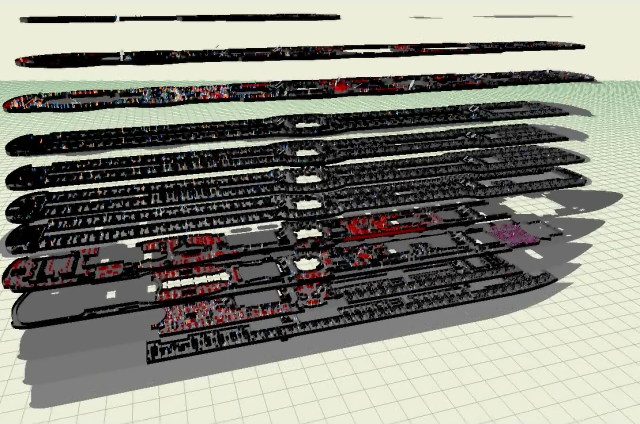
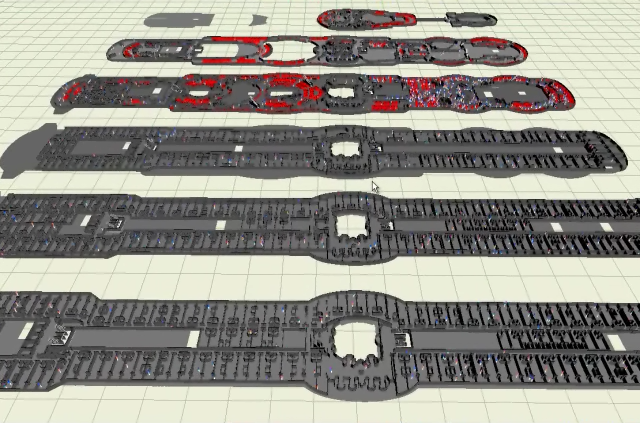
Output from the 3D View in maritimeEXODUS v5.1 showing an assembly on a large passenger cruise ship. The 3D View allows the user to manipulate the appearance of the graphics i.e. Separate decks in height, lay the decks out side by side, show transparent walls/decks and display the population density contours. The 3D View also shows the representation of vessels subjected to angles of inclination (i.e. heel and trim)
 |
 |
 |
 |
 |
 |
 |
Output from vrEXODUS representation of maritimeEXODUS v5.0 simulation of an assembly on a large passenger cruise ship.
 |
 |
 |
 |
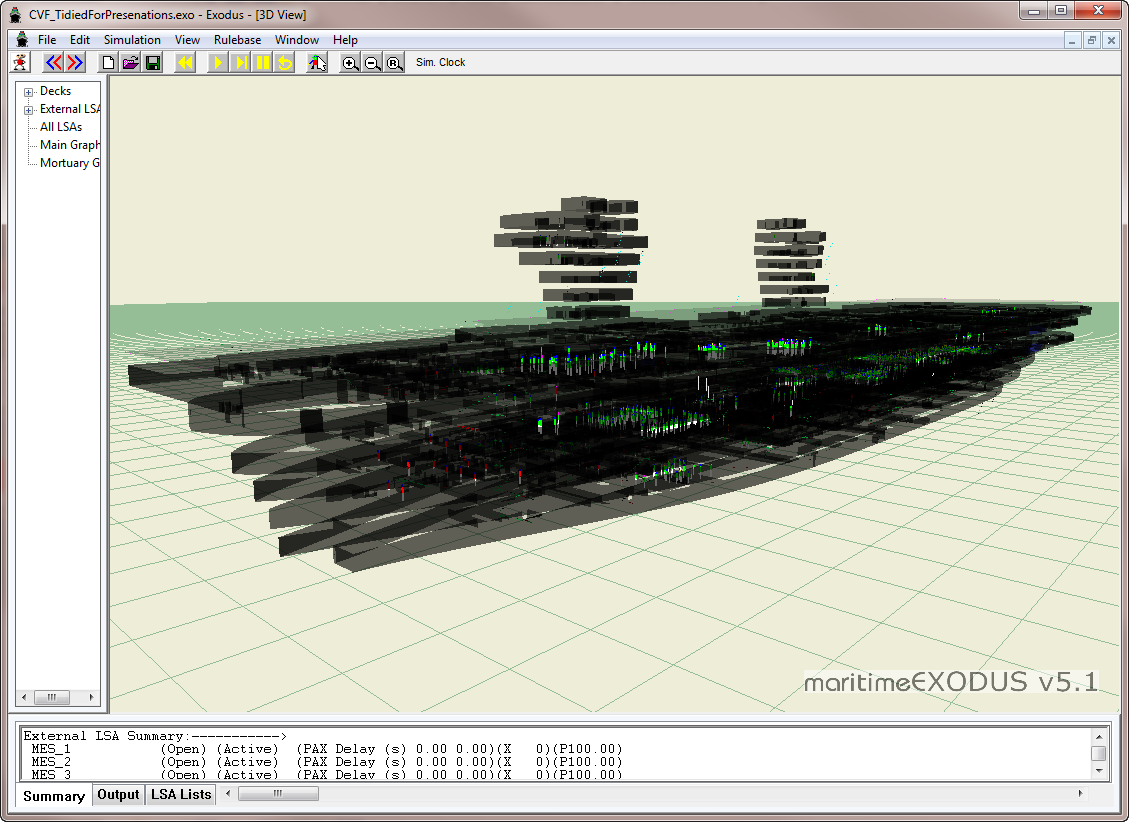
Output from the 3D View in maritimeEXODUS v5.1 showing an aircraft carrier comprising of 7 decks and two control towers. (With and without transparent walls/decks)
 |
 |
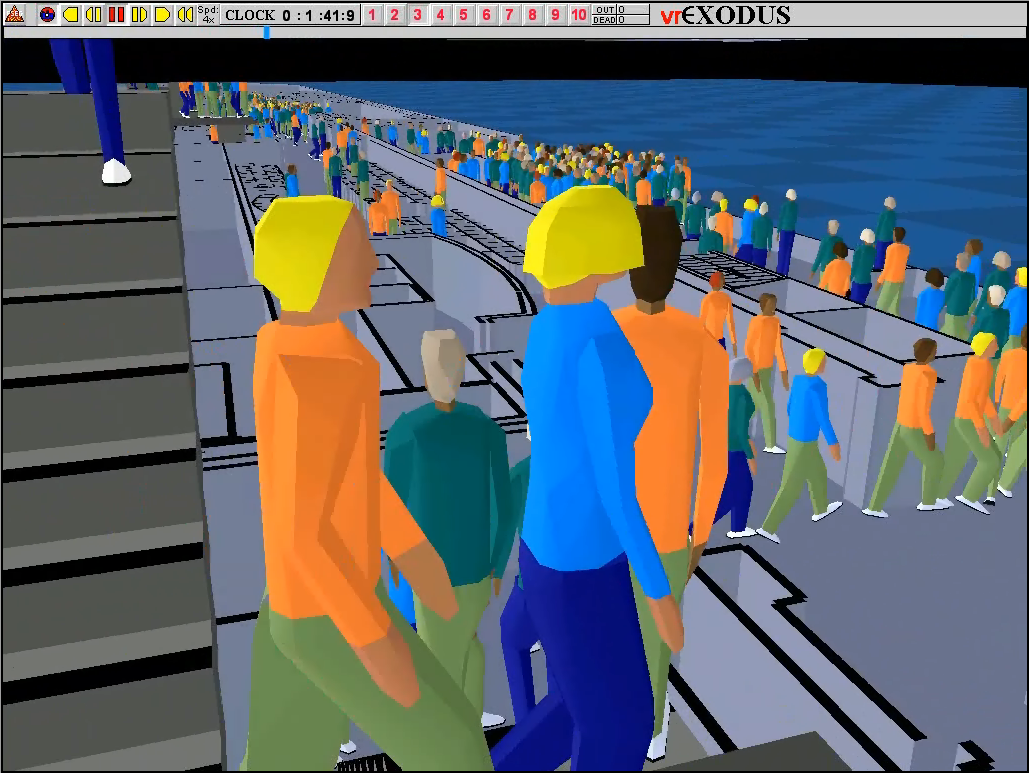
Output from vrEXODUS representation of a maritimeEXODUS v5.0 simulation of an assembly on a RORO ferry.
 |
 |
 |
Output from vrEXODUS representation of maritimeEXODUS v3.0 simulation of an evacuation of the HSM Victory in dry dock. Agents evacuate via external staircases and walkways.
 |
 |
OUTPUT FROM maritimeEXODUS
INTERACTIVE GRAPHICS WINDOW IN SIMULATION MODE

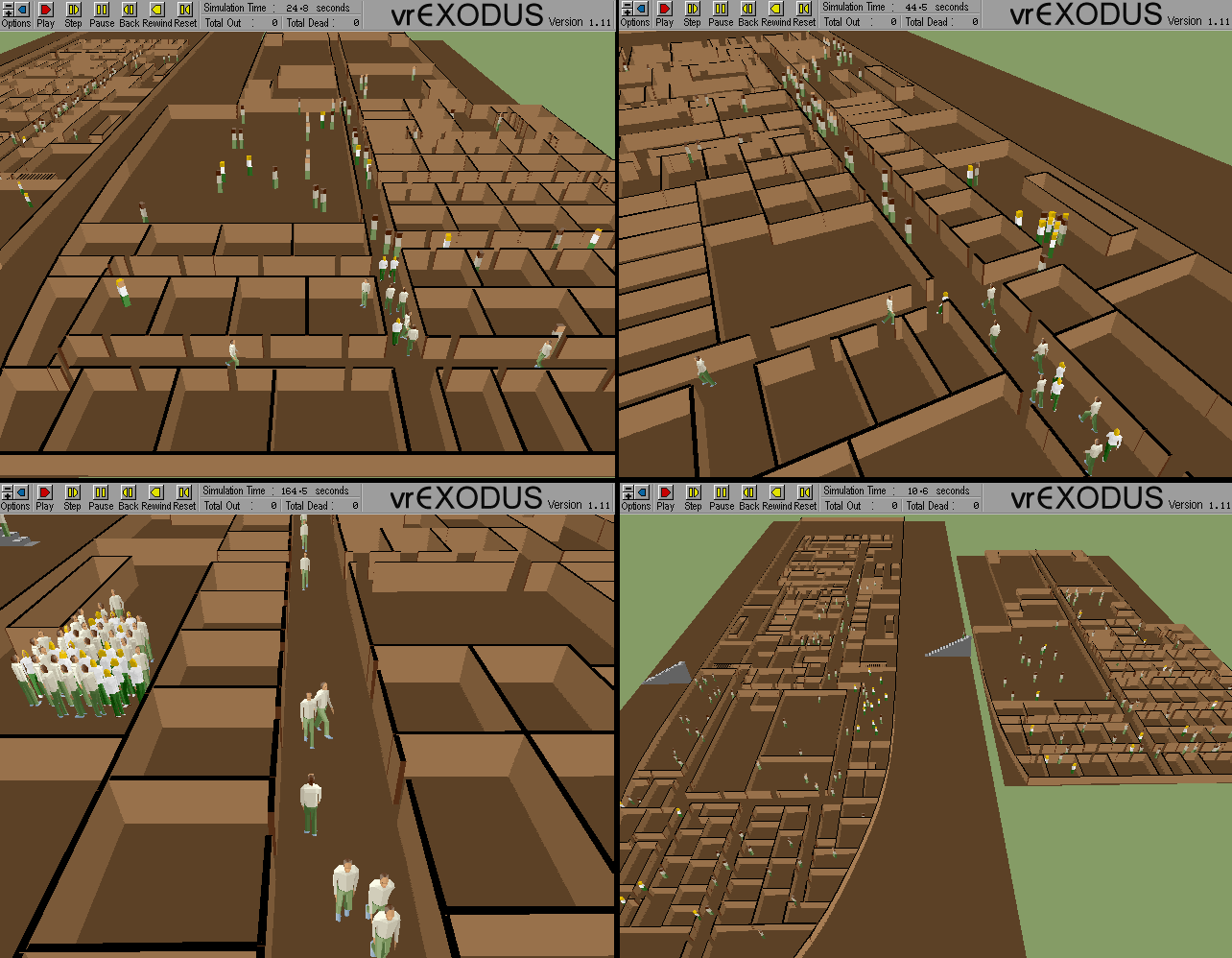
OUTPUT FROM vrEXODUS REPRESENTATION
OF FOUR SCENES FROM maritimeEXODUS SIMULATION OF SHIP EVACUATION


CLOSE UP FROM vrEXODUS REPRESENTATION
OF maritimeEXODUS SIMULATION OF SHIP EVACUATION


OUTPUT FROM vrEXODUS
REPRESENTATION OF maritimeEXODUS v4.0 simulation of evacuation from a large
passenger ship. Passengers in yellow have donned their lifejackets.


OUTPUT FROM maritimeEXODUS v4.0 simulation showing a reconstruction of the
sinking of the GUSTLOFF. In 1945 she took 3 torpedoes developing a 20 degree
heel and sinking with the loss of over 10,000 lives. maritimeEXODUS was used to
predict the number of fatalities in this disaster for the TV documentary
Unsolved History: Wilhelm Gustloff World's Deadliest Sea Disaster as shown on
Discovery Channel. Depicted are the population density contours. The
simulation included the effect of progressive heel and trim and flooding of
compartments as the vessel sank.


CLOSEUP FROM maritimeEXODUS
v3.0 simulation of normal circulation movements at end of a theatre showing.
Software is in population density mode.


OUTPUT FROM maritimeEXODUS
v3.0 simulation of mustering phase of a two deck passenger ferry. Software
is in population density mode.


OUTPUT FROM vrEXODUS
REPRESENTATION OF maritimeEXODUS v4.0 simulation of crew and passengers using
vertical ladders, 60 degree stairs and normal stairs.


OUTPUT FROM vrEXODUS
REPRESENTATION OF maritimeEXODUS v4.0 simulation showing smoke spread within
large passenger ship.


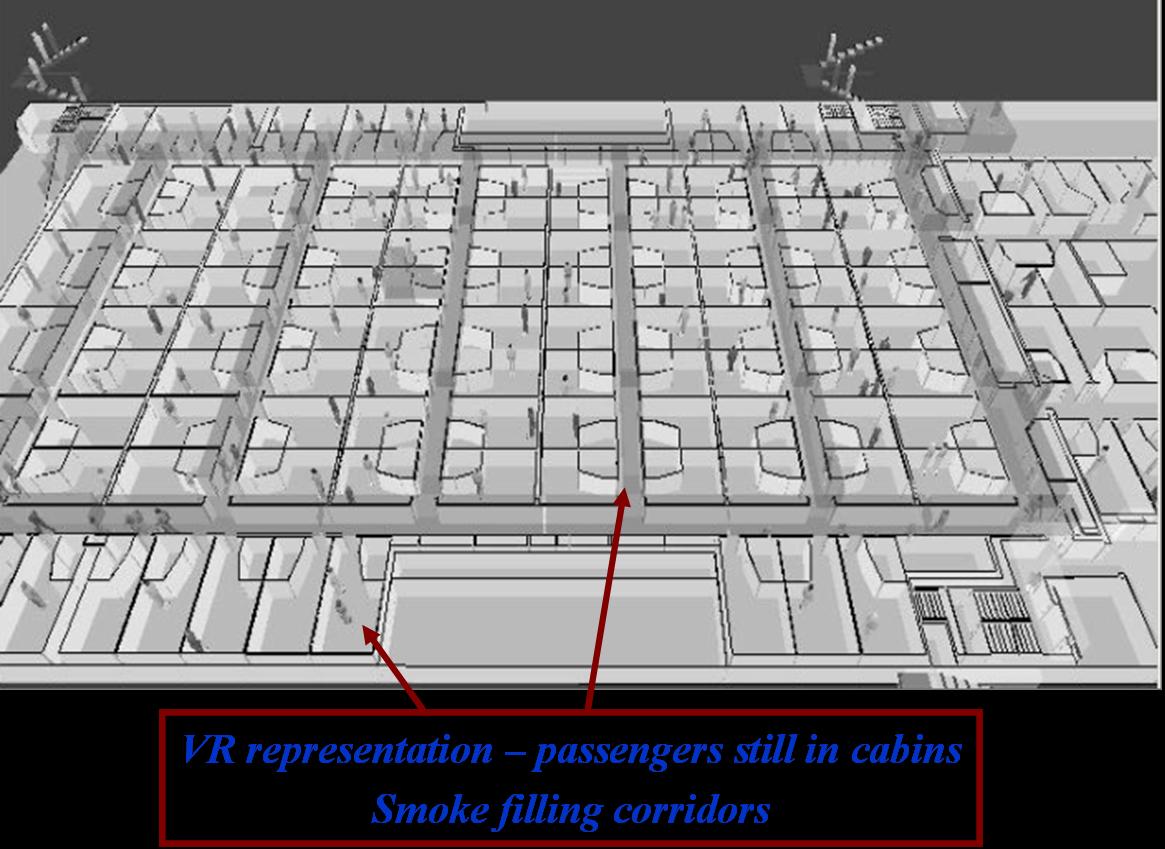
CLOSEUP FROM vrEXODUS
REPRESENTATION OF maritimeEXODUS v4.0 simulation showing passengers still in
cabins while corridors filling with smoke.


Disclaimer: Development of railEXODUS was partially funded by the Federal Railroad Administration, U.S Government. Funding does not constitute endorsement of railEXODUS, its application, or related papers.
 While the buildingEXODUS software is used for rail stations
including the modelling of trains in stations, the railEXODUS software is
specifically being designed to simulate evacuation from rail rolling stock and
possess rail specific human performance data.
While the buildingEXODUS software is used for rail stations
including the modelling of trains in stations, the railEXODUS software is
specifically being designed to simulate evacuation from rail rolling stock and
possess rail specific human performance data.
The railEXODUS software is
specifically designed to cater for rail situations involving the evacuation from:
- rail car to rail car,
- rail car to platform,
- rail car to track side and
- evacuation from overturned rail carriages.
See FSEG
projects pages for data generation project specific to
rail applications. Additional data from full-scale rail car evacuation trials
conducted in the US will be included in the software.
The software will also
cater for multi-level rail cars and like the other EXODUS software, will have a
link to both SMARTFIRE and CFAST allowing the inclusion of fire hazards such as
heat, smoke and toxic gases.